Checks whether your computer, phone or browser is processing your microphone in ways that damage instrument sound: noise suppression, voice isolation, automatic gain control, noise gating and reduced bandwidth. The test runs in your browser. Nothing is uploaded.
Recording stops automatically after 90 seconds.
Listen for notes that fade while held, quiet notes that vanish, a "pumping" volume, or a muffled sound.
Processing can be applied at several levels. Check each level for your device, then run the test again.
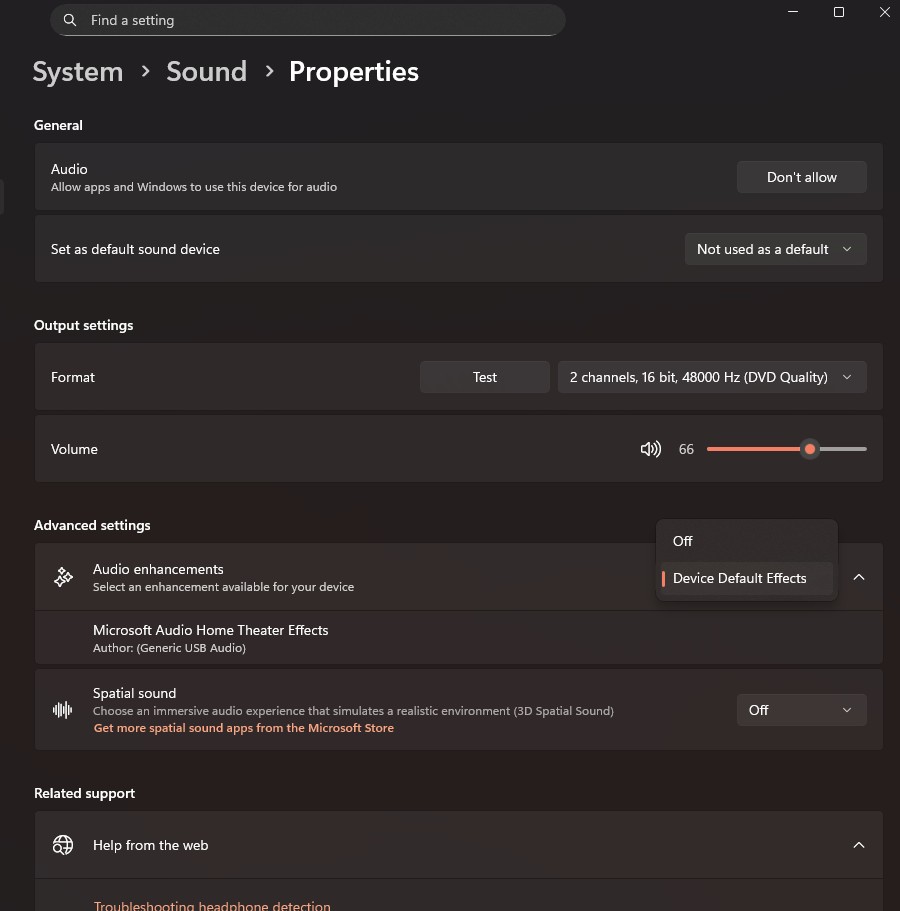
Mic Mode is saved separately for each app. Set it in your browser and again in your meeting app.
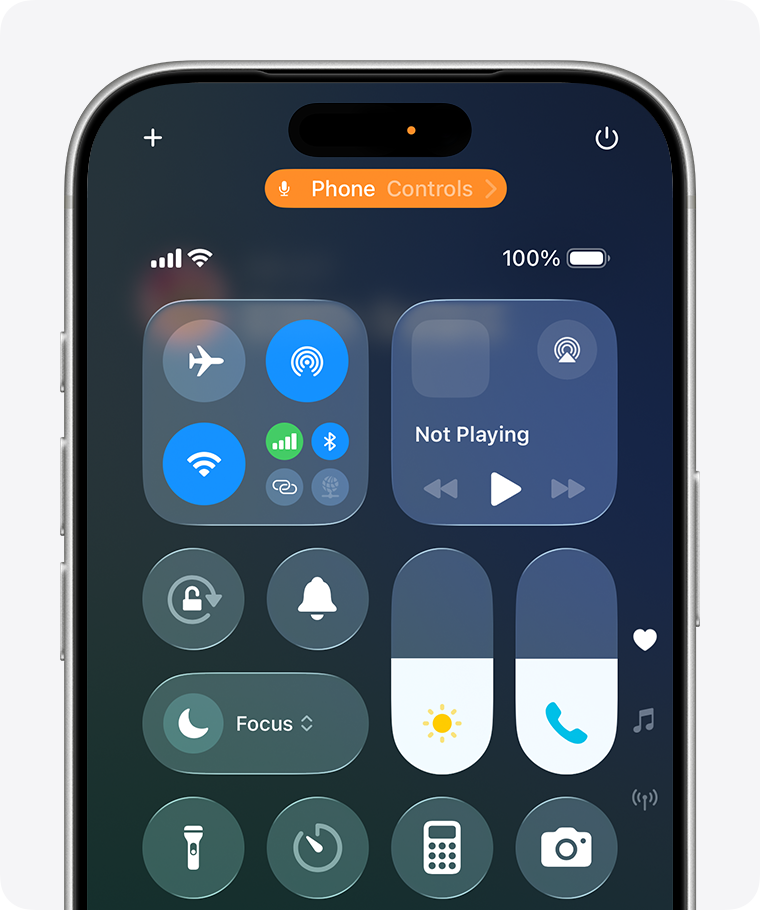
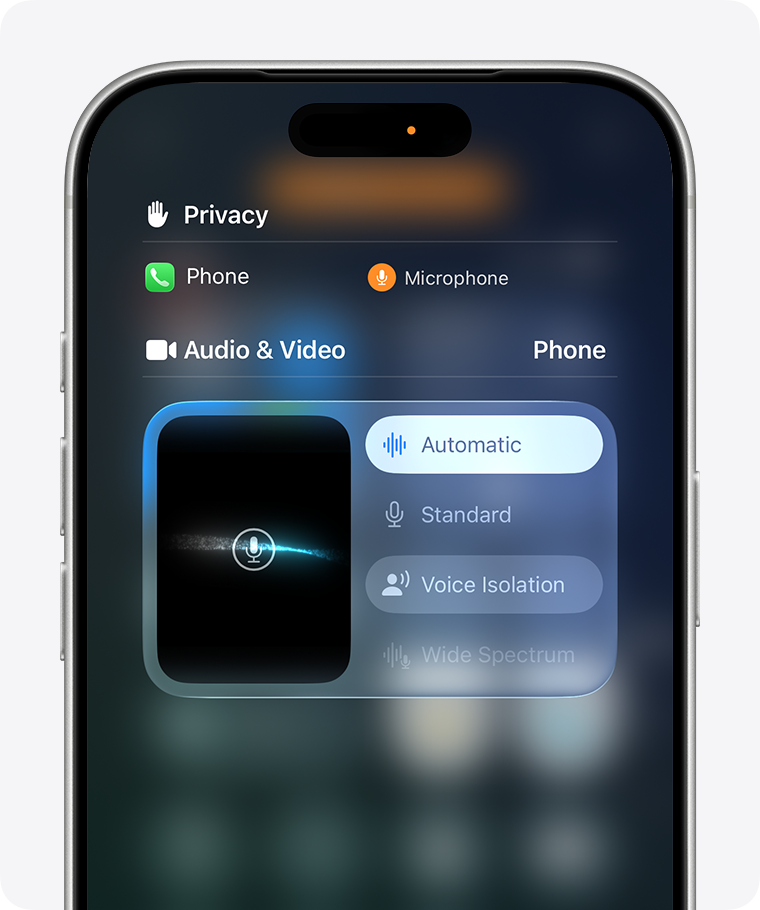
Mic Mode is saved separately for each app. Set it in Safari (or your browser) for this test, and in your meeting app for lessons.
echo-cancel module) and bypass them for your microphone.Meeting apps apply their own processing on top of your device's. Turn it off in the app you use for lessons:
Browsers apply echo cancellation, noise suppression and automatic gain control by default. Web pages can request these off, as this test does. For browser-based lessons, the lesson app controls this setting (usually called "Original sound").
Plays a spoken phrase, then about 45 seconds of tones, noise and claps. If this device can't speak the phrase, say "This is a microphone test for music lessons" aloud when prompted.
Download the test sound (WAV) to play it from another player or speaker.