Payments & invoicing for education

Less time managing payments.
More time for education.

One connected system for every payment step. Replace disconnected tools with a single workflow for billing and payments — from checkout and invoicing to collection, refunds and reporting.

  • Online, in person and over the phone
  • Automated invoicing and collection
  • Native Stripe payment processing
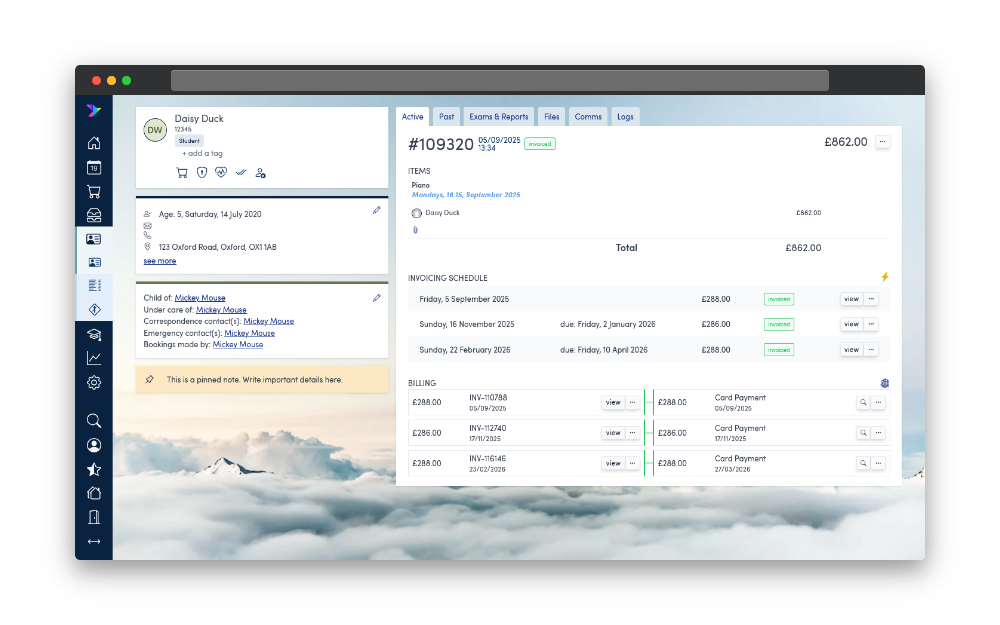
Swiftlier HQ order view with booking, billing and payment information

Make it easy to pay

Every payment channel. The same customer record.

A family booking online, a customer calling the office, or a student paying at reception: give them a smooth experience without creating separate admin for your team.

Online checkout

Let customers book and pay through your branded online shop, embedded in your existing website or used as a standalone storefront.

  • Card payments, Apple Pay and Google Pay
  • Mobile and desktop checkout
  • Instant confirmations and email receipts

ePoS & telephone payments

Take bookings and payments with your team in Swiftlier HQ, keeping face-to-face and telephone sales connected to the rest of your business.

  • PCI-DSS compliant in-person payments
  • Mail order / telephone order (MOTO) payments
  • Class, private tuition and room bookings

Payment links

Build a basket on a customer's behalf and send a hosted link for them to pay and confirm, with optional payment plans.

  • Help busy families complete their booking
  • Track the opportunity in your sales pipeline
  • Automatically close the deal as won when paid

More ways to pay. Support cards, bank transfers and direct debits alongside digital wallets, with native Stripe integration across HQ, the Shop and the Customer Portal.

Apple Pay Google Pay

Beyond course fees: sell physical and digital goods and merchandise through the Swiftlier Shop, with courses and merchandise purchases visible on a single customer account.

Put routine billing on autopilot

Flexible for families. Less work for finance.

Stop rebuilding invoices in spreadsheets. Set up payment schedules for your courses and let Swiftlier connect bookings, invoicing, collection and reminders.

  1. 1

    Book

    Customers enrol online or your team takes a booking in HQ.

  2. 2

    Invoice

    Invoices are generated and emailed in line with the defined schedule.

  3. 3

    Collect

    Scheduled instalments are collected automatically, with payments matched to invoices.

  4. 4

    Keep track

    See payment status and follow up on balances with automated reminders.

Payment plans that fit

Design weekly, monthly or termly payment schedules and publish the available plans by course, including direct debit collection.

Clear instalment pricing

Show the initial payment alongside the total course cost in the Shop and Course Search widget, so customers know what they are committing to.

Automatic invoicing & renewals

Generate and email invoices on schedule. Prepare orders and invoices for continuing tuition through intelligent renewals.

Reminders without the chasing

Set up automated communications for payment due dates, overdue balances and cancellation notices.

Every balance in view

See outstanding, partially paid and overdue invoices across your student base, then drill down into individual billing accounts.

Discounts & allocations

Configure discounts such as sibling discounts and bursaries for staff use and reporting. Manage payment allocations, part-payments and write-offs.

When plans change

Cancellations without the spreadsheet calculations.

Changes are part of running an education business. Handle cancellations, refunds and credit notes in the same system as the original booking, so your team has the context it needs.

See it in a demo

Refunds back to card

Process refunds against the customer's billing account, keeping the financial history together.

Credit notes for future invoices

Issue credit notes and retain visibility of each customer's credit balance.

Pro-rata credits

Use session attendance to calculate credit entitlement automatically, including back-dated and future-dated credits.

Credit customers can use

Let customers apply available credit balances towards future payments directly from the Customer Portal.

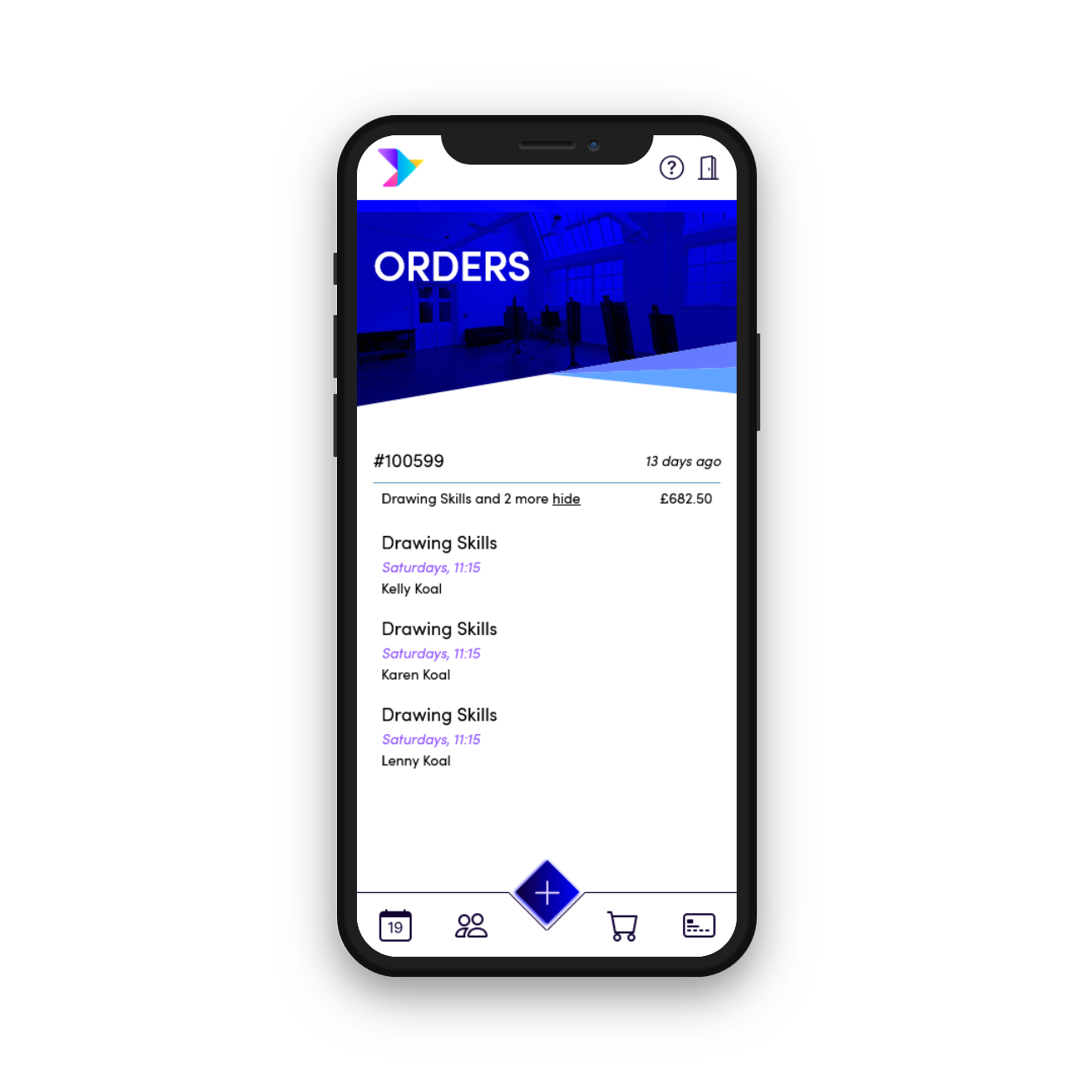
Swiftlier Customer Portal showing customer orders and billing information

Customer self-service

Fewer calls asking, “Can you send my invoice?”

Give customers and parents secure access to their own finance information through your branded Customer Portal, on mobile or desktop.

  • View orders, invoices and payments without contacting the office
  • Download invoices and receipts on demand
  • Use available credit balances towards future payments
  • Book again with quick checkout from the Portal

When customers do need help, your integrated helpdesk keeps their bookings and customer context alongside the conversation.

Explore the Customer Portal

Keep the full picture

From the invoice to the money in your bank.

Finance and operations work from the same live data. Follow payment allocations, understand payouts and export the records your finance team needs.

Stripe payouts, explained

Track incoming payouts, processing fees and the net amounts clearing into your bank account with Stripe payouts reporting.

Exports & reconciliation

Use financial exports and automated reconciliation reporting, alongside sales, billing and payment data, to support your accounting workflows.

Ledger codes & audit trails

Configure sales and discount ledger accounts by service. Keep payment allocations, part-payments and write-offs traceable with a complete audit trail.

Connected doesn't mean compromising on control. Swiftlier combines Stripe payment processing and PCI-DSS compliant payment handling with granular staff access controls and audit logs. Read about security.

Swiftlier × Blackheath Conservatoire

A connected school. A smoother experience.

“Swiftlier has made us much more efficient, and it's much easier to get everything right first time!”
Deb King

Deb KingBlackheath Conservatoire

Blackheath Conservatoire uses Swiftlier to keep enrolment, teaching, payments and reporting flowing from one connected system.

Download the case study (PDF)

An easy switch

You don't have to join the dots yourself.

Our Customer Success team guides you from discovery to go-live, helping configure your courses and policies, connect payments, migrate your data and train your team.

  • One platform instead of disconnected booking and billing tools
  • An experienced education and technology team
  • Guided implementation and ongoing support

Your payment questions, answered.

Can we take payments online and at reception?

Yes. Swiftlier supports online checkout, in-person point-of-sale and mail order / telephone order payments, as well as hosted payment links. Orders and payment records stay connected in Swiftlier.

Can families spread the cost?

Yes. You can design different payment plans, publish them by course and collect scheduled instalments automatically, including by direct debit.

What happens when a student cancels?

Your team can handle the cancellation, refund payments back to card or issue credit notes. Swiftlier can use session attendance to calculate pro-rata credit entitlement, and customers can use available credit in the Portal.

Does Swiftlier replace our accounting software?

Swiftlier connects your operational billing, payments and customer records. Financial exports, ledger coding and reconciliation reporting support your accounting workflows; we can discuss how they fit your existing setup during your demo.

Are payment processing fees included?

Payment processing fees are separate from Swiftlier subscription and booking fees. They depend on the payment method and countries involved. See our pricing page for plan details, and we can talk through your payment setup during your demo.

See your billing journey, connected

Spend less time on payment admin.

See how Swiftlier can handle your payment plans, invoicing and day-to-day finance workflows in a personalised demo with our team.

We'll only use your email to arrange your demo. See our privacy policy.